

Understanding the fields
On the Bookable services screen, each service has:- Bookable (toggle) — whether this service shows up as an option when booking an appointment. A service you sell over the counter but never book a time for can stay off.
- Duration (minutes) — how long the service takes. This is what the booking form uses to fill in the end time automatically, so a booking’s length matches reality without anyone doing the math.
- Parallel capacity — how many of this service can run in the same time slot (for example, 3 if you have three chairs). BillBasket blocks a booking once a slot hits this number. Note the interaction with staff: if you assign a specific provider to a booking, that provider can only do one at a time regardless of this number — so capacity is the upper limit, and an assigned provider narrows it to one.
- Buffer (minutes) — a gap left after each booking (for cleanup, turnover, notes) before the next one can start. Increasing the buffer effectively spaces bookings further apart.
- Colour — an optional colour to tell services apart at a glance on the agenda.
See it on your device
- Windows PC
- Phone
- Tablet
A service’s bookable settings — Available for booking toggled on,
with Duration, In parallel (capacity), and Buffer after all set, plus
a Calendar colour picker to tell services apart on the agenda.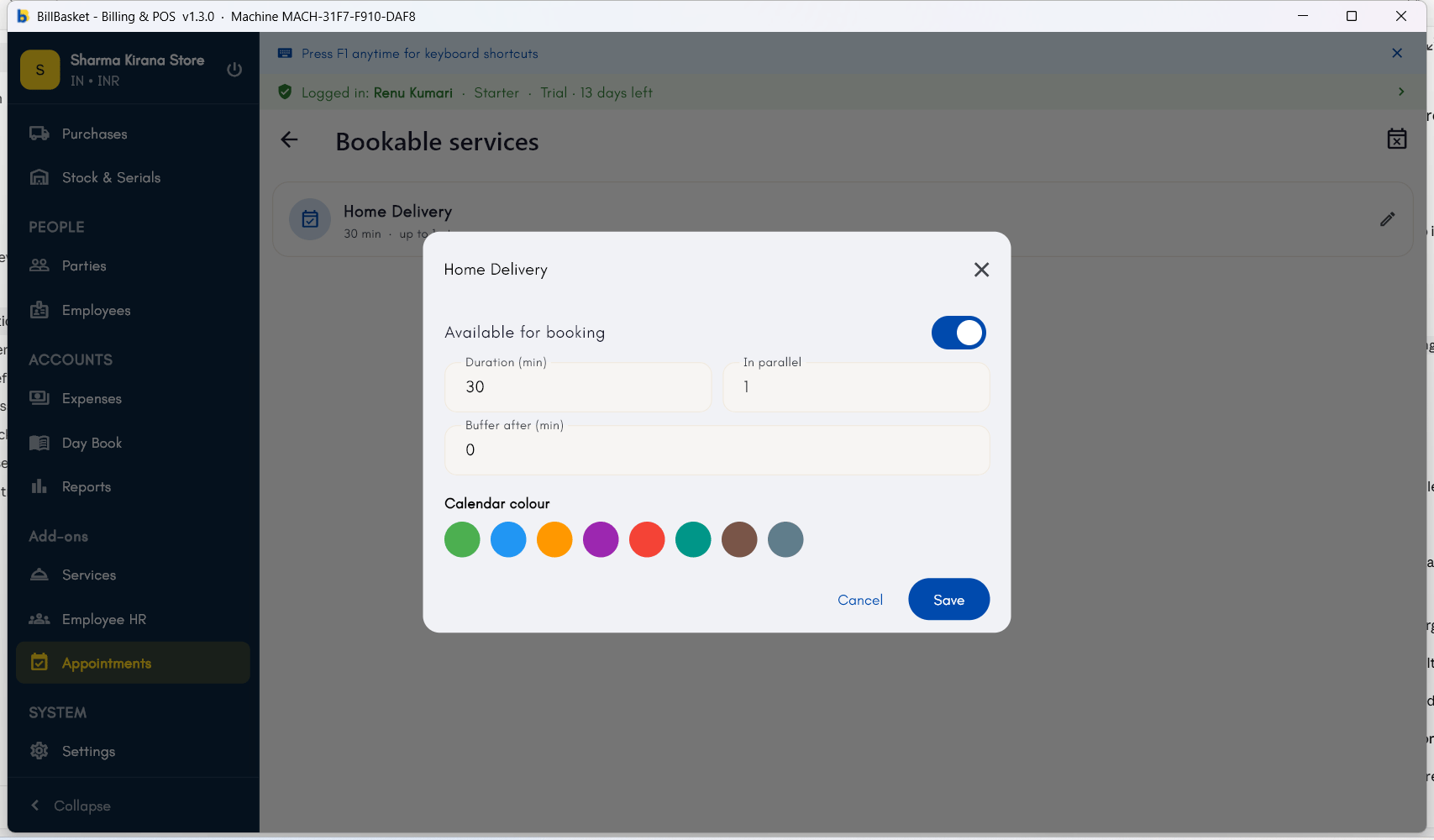
Try it: James Spa
1
Open Bookable services
James Fernandes opens the Bookable services screen from the Appointments
module to set up how his treatments book.
2
Set duration and capacity
For “Aromatherapy Massage” he turns on Bookable, sets the duration to
60 minutes, and sets parallel capacity to 2 — the spa has two massage
rooms.
3
Add a turnover buffer
He adds a 15-minute buffer so the room can be reset between clients,
which automatically spaces those bookings apart on the agenda.
4
Book against it
Now when Priya books that service, the end time and the two-room limit
are applied automatically — see Booking
basics.