

Understanding the fields
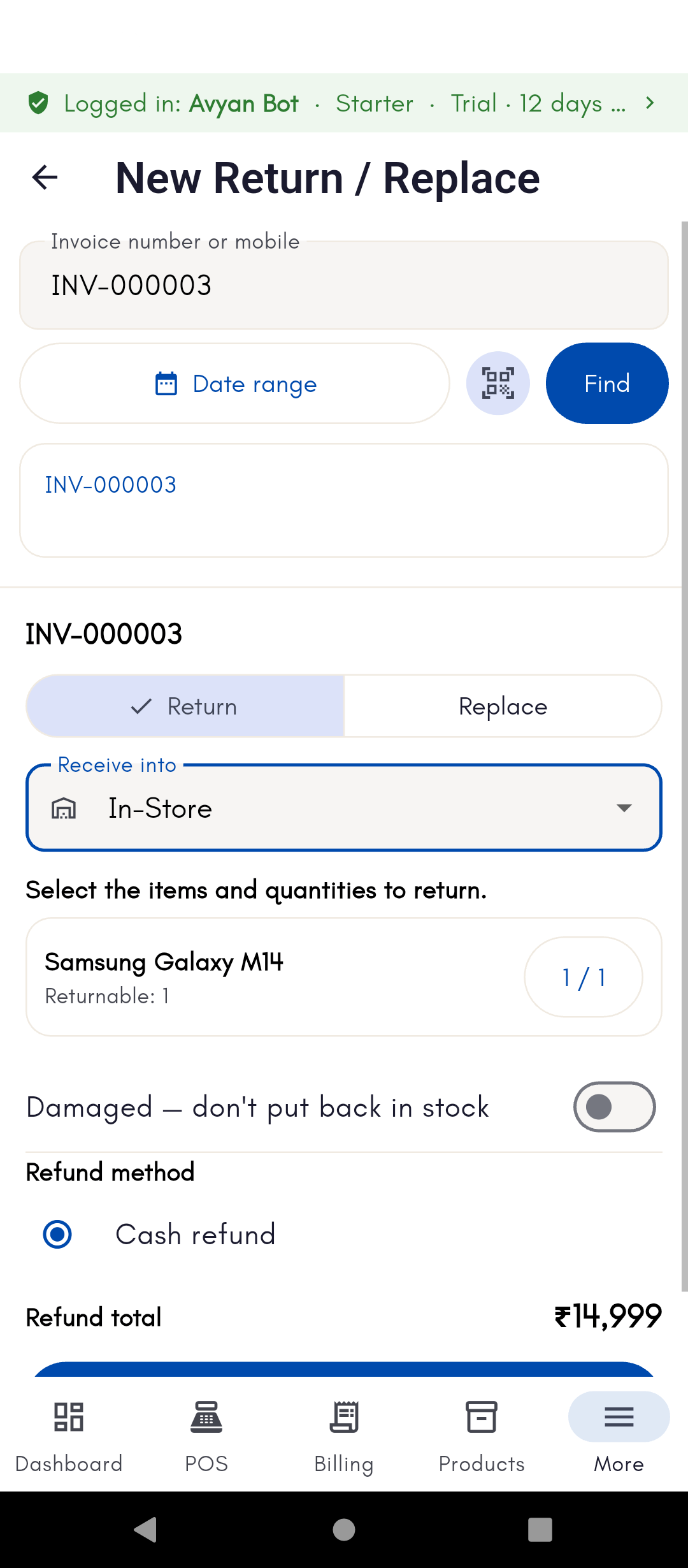
- Return mode — Return (customer keeps nothing, gets refunded or credited) or Replace (item is exchanged for the same or a different one). This choice changes which of the fields below apply.
- Refund method — Cash (money back) or Credit note (a credit the customer can use on a future purchase instead of cash back). Only relevant for Return mode — a Replace doesn’t need a refund method unless there’s a price difference to settle.
- Restock — on by default, adds the returned item back to inventory. Turn it off for a damaged/unsellable item.
- Damaged — this isn’t a separate switch; a return only counts as “damaged” (written off rather than restocked) when you’re in Return mode and Restock is turned off. In Replace mode, this distinction doesn’t apply the same way, since the flow is built around exchanging the item rather than writing it off.
Returns and replacements are tracked separately from new sales, so your
sales reports and dashboard reflect net figures accurately. See
Understanding your
dashboard.
See it on your device
- Windows PC
- Phone
- Tablet
A completed return in the Return / Replace list — the return
number, client, and which product(s) came back, alongside the refund
amount. This return was refunded as a credit note rather than cash, so
it also created an entry in Credit
notes.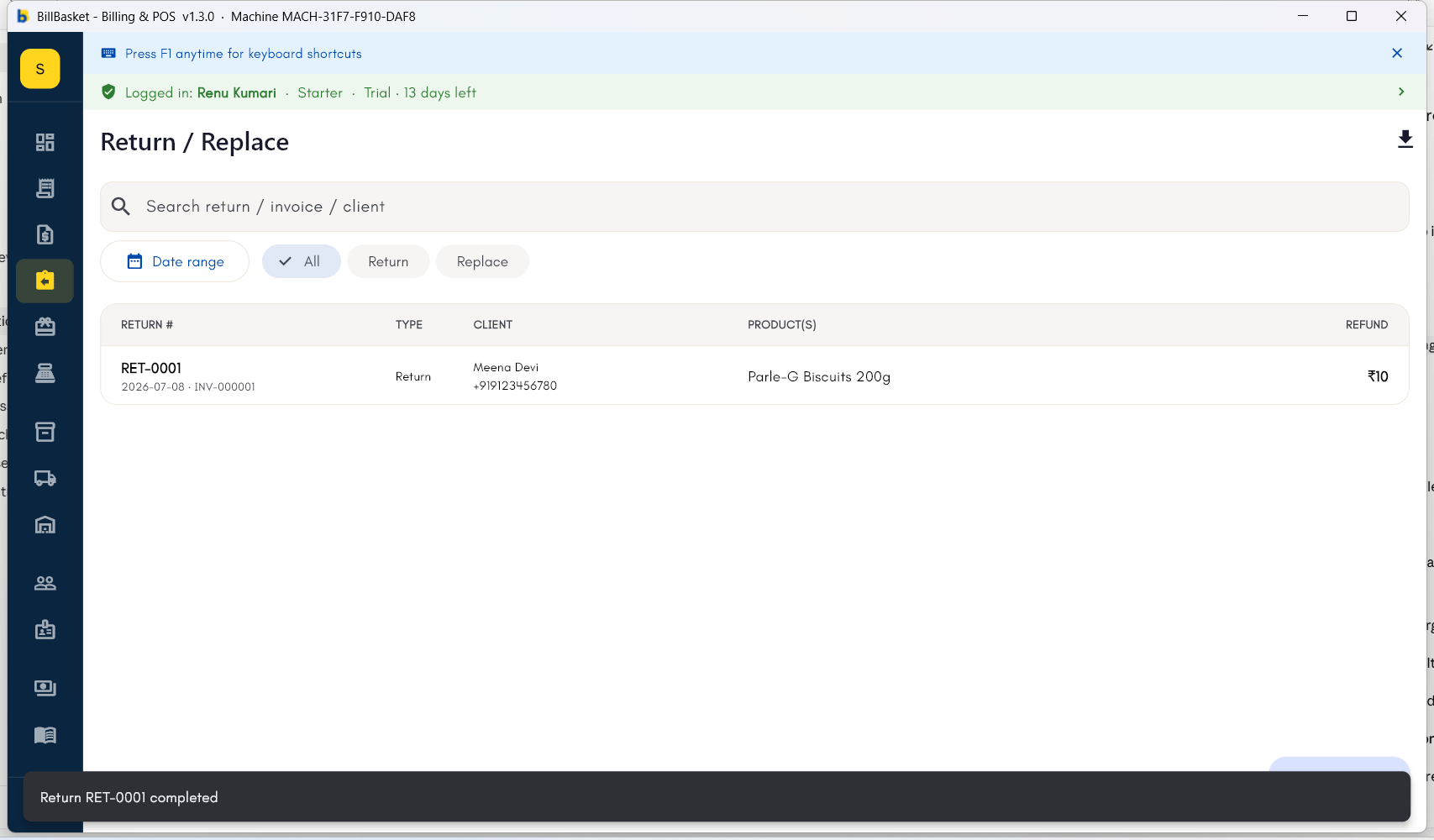
1
Find the original invoice
Open the invoice the return or replacement relates to from your
invoice list or the customer’s history.
2
Choose Return or Replace
Select the item(s) being returned. Choose Return to refund or
credit the customer, or Replace to exchange for the same or a
different item.
3
Choose whether to restock the item
Leave Restock on for a resellable item, or turn it off if it’s
damaged — turning it off while in Return mode writes the item off
instead of adding it back to inventory.
4
Confirm the payment adjustment
For a Return, pick Cash or Credit note as the refund method. Returned
stock (if restocked) is added back to inventory automatically, and
the refund/credit or price difference is recorded against the
customer.