

Understanding the fields
Notification Channels
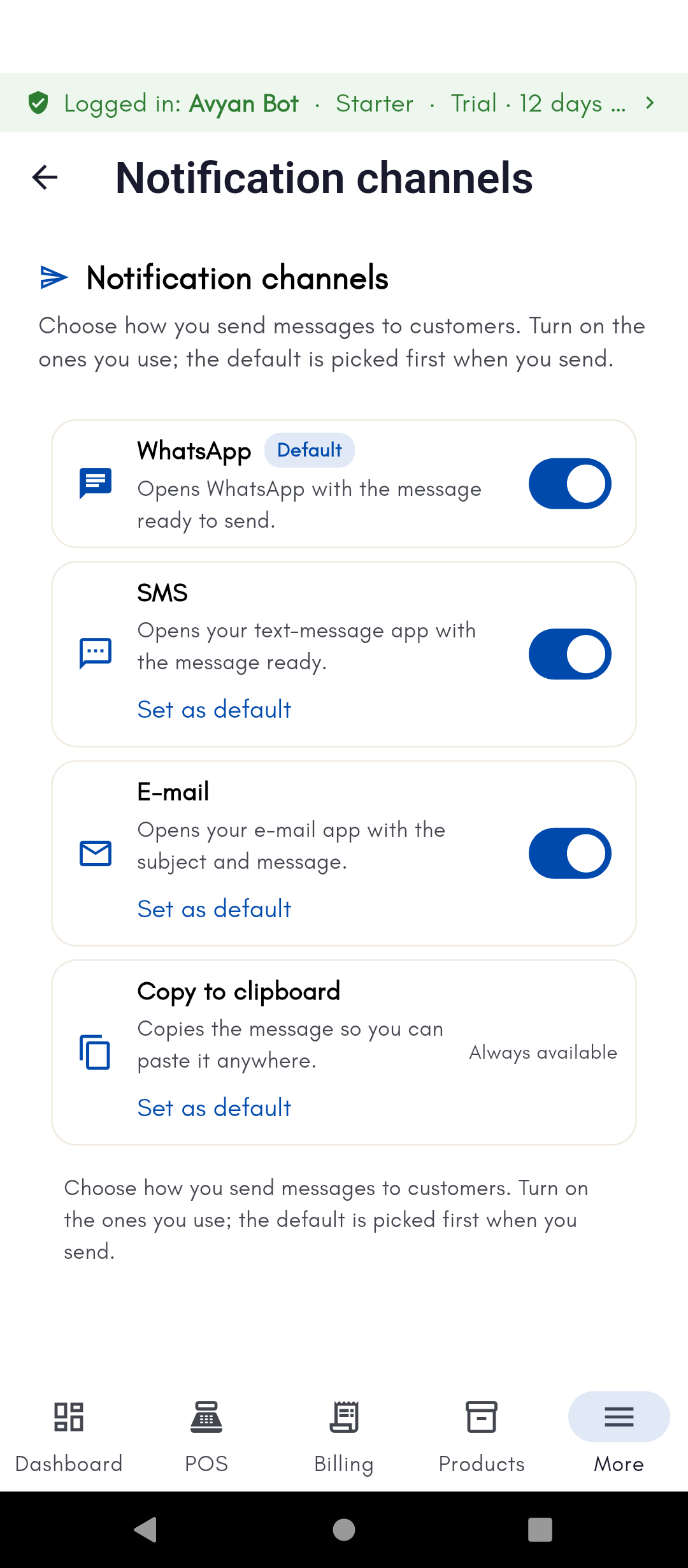
- WhatsApp / SMS / Email — toggles turning each channel on or off for sending customer messages.
- Copy to clipboard — always on and can’t be turned off; it’s the fallback that lets you paste a message into whichever app you prefer manually, even if you don’t use any of the other channels.
- Set as default — appears only next to a channel that’s already turned on and isn’t already the default. Picking a default means BillBasket uses that channel automatically when sending, without asking you to choose each time. Only one channel can be default; setting a new one replaces the old default.
Message Templates
One editable template per business moment — invoice reminder, payment receipt, refund sent, credit note, and (if the Appointments/Services add-on is on) appointment confirmation and appointment reminder.- Name — an internal label for the template, not shown to customers.
- Subject — used for channels that show a subject line (like email); ignored by channels that don’t (like WhatsApp).
- Body — the actual message text sent to the customer.
- Active — turns that specific template off without affecting the channels themselves; an inactive template is skipped when its triggering event happens.
- Tag tokens (e.g.
{customer_name},{amount},{date}) — placeholder tags you insert into Subject or Body; BillBasket fills in the real value automatically when the message is sent. Tags insert wherever your cursor last was — in the Subject field or the Body field — so click into the field you want the tag added to before tapping a tag. - Restore default — resets that one template’s wording back to BillBasket’s built-in version, without touching your other templates.
Appointment confirmation and appointment reminder templates only appear
once the Appointments/Services add-on is turned on — see
Add-ons & system settings.
See it on your device
- Windows PC
- Phone
- Tablet
Notification channels with WhatsApp (marked Default), SMS, and
Email all turned on — each has a Set as default link once enabled.
Copy to clipboard at the bottom is always available and can’t be
turned off, as the universal fallback.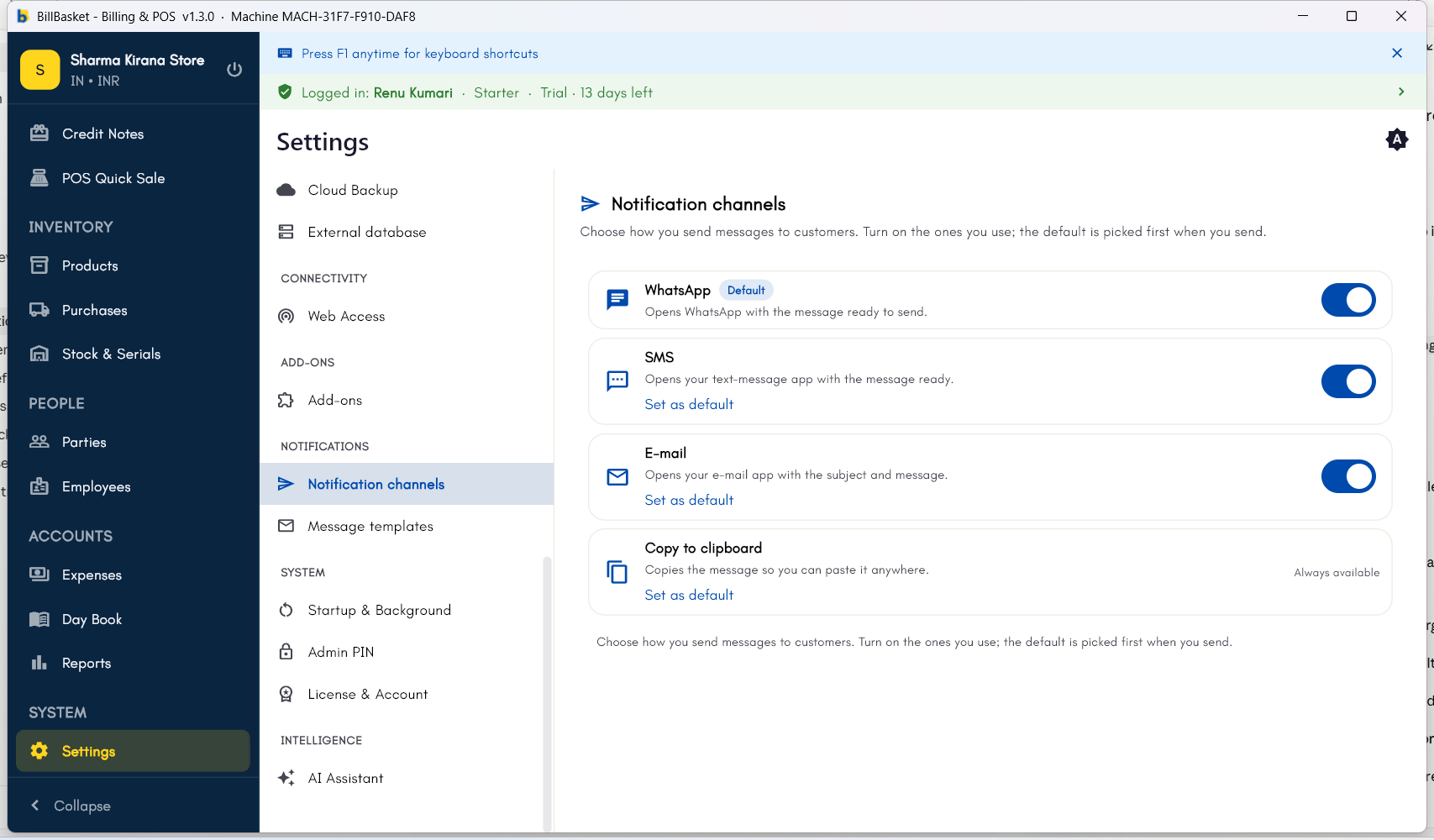
Try it: Sharma Kirana Store
1
Turn on WhatsApp and set it as default
Rajesh Sharma opens Settings → Notifications → Notification
Channels and turns on WhatsApp, setting it as the default channel
since most of his customers use it.
2
Customize the reminder message
He then opens Message Templates, taps the payment reminder
template, and adds a friendly line — keeping the
{customer_name} and
{amount} tags in place so each customer’s reminder is still
personalized automatically.