

Understanding the fields
- Payment method — one of Cash, Card, UPI, Bank transfer, Cheque, Credit note, or Credit. Each row of payment on an invoice picks its own method, so a single bill can be split across more than one.
- Credit — records the sale against the customer’s account instead of collecting money now. This method only appears as an option when a customer is linked to the invoice and their credit is enabled — see Credit accounts. A walk-in sale with no customer can’t use Credit.
- Credit note — pays (fully or partly) using a credit note already issued to that customer, instead of new money changing hands.
- Amount — how much of the invoice total this particular row covers. The remaining, unpaid balance automatically defaults to Credit if a customer is linked, or stays as an outstanding cash amount if not.
- Reference number — for non-cash methods (card, UPI, bank transfer, cheque), a place to note the transaction/cheque reference for your own records; this field is hidden for Cash and Credit since there’s nothing to reference.
Invoice payment status
Every invoice is either fully paid or partial — BillBasket doesn’t store a separate “unpaid”/“overdue” status, but reminder messages calculate days-overdue from the invoice date so you know how long a partial balance has been outstanding.See it on your device
- Windows PC
- Phone
- Tablet
Opening the payment method dropdown on a payment row shows every
available method — Cash, Card, UPI, Bank, Cheque — so you can pick the
right one for this row, then add another row with Add another
method to split the total across more than one.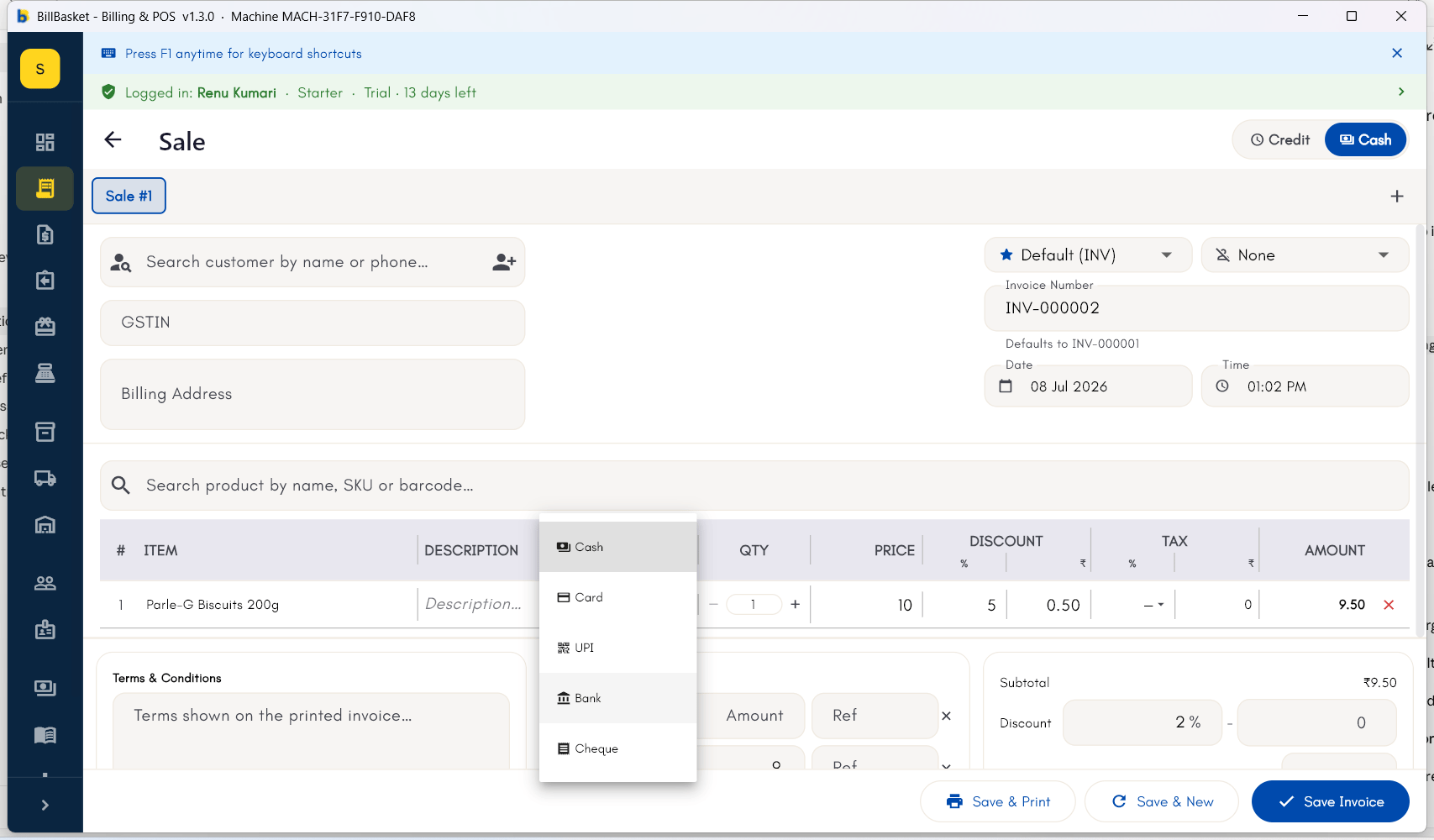
1
Choose the payment method
At checkout, pick Cash, Card, UPI, Bank transfer, Cheque, Credit note,
or Credit for this payment.
2
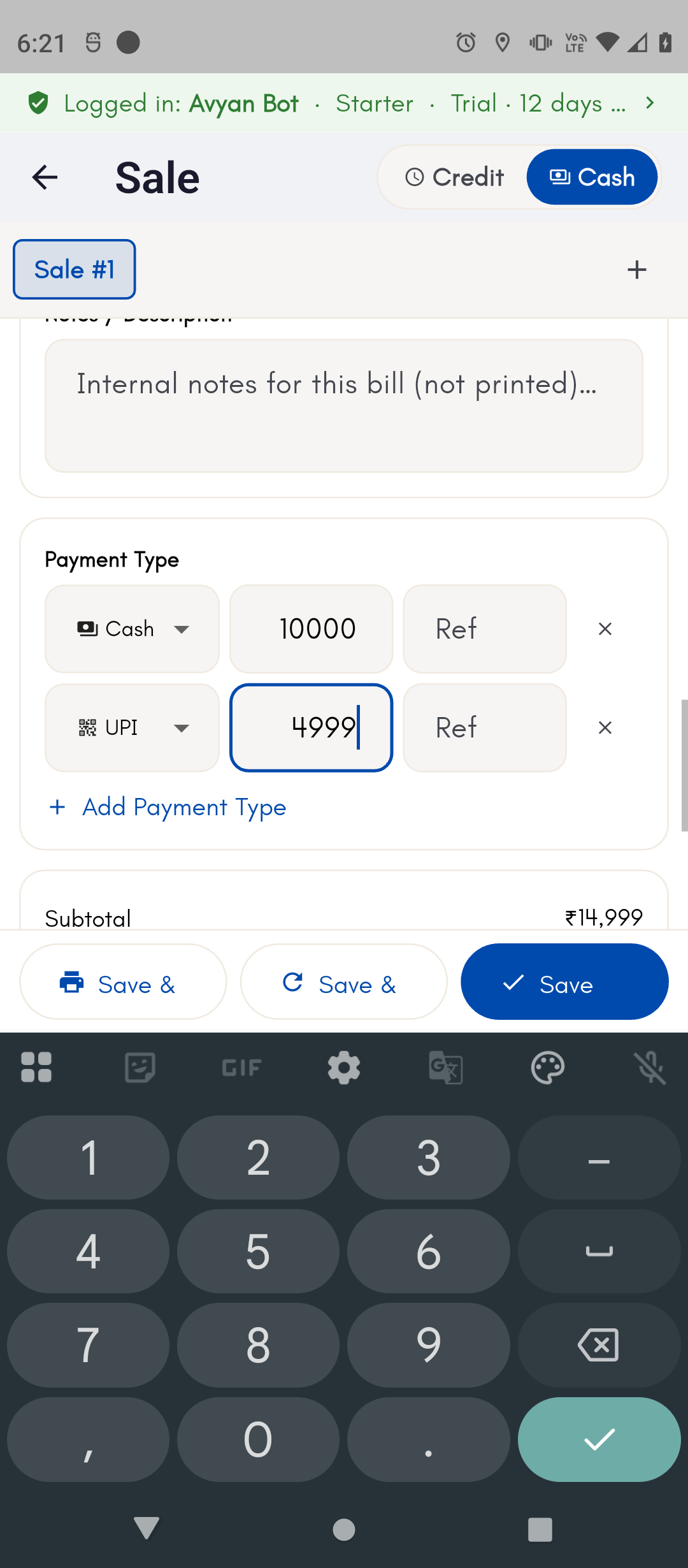
Split the bill across more than one method
Add a second payment row for the remaining amount and pick a
different method — for example, part cash and part credit for a
regular customer.
3
Record a partial payment
Enter less than the full amount and finish the sale — the invoice is
saved with a partial status and the remaining balance recorded
against the customer, if one is linked.
4
Collect the rest later
Reopen that invoice from the invoice list whenever the customer pays
the remainder, without creating a new bill.