

Understanding the fields
- Backup to restore — picked from the list of previous encrypted backups tied to your account and store; you can’t restore a backup belonging to a different store or account.
- Restore scope: full vs. per-table — a full restore replaces everything with that backup’s snapshot. Picking specific tables instead (for example, just Customers) only touches that data, leaving everything else — like invoices created since the backup — untouched. Use the narrower option when you’re recovering from a mistake in one area, not rolling the whole store back in time.
Restoring the full snapshot rolls back everything to that backup’s
point in time — any sales or changes made after that backup was taken
are lost unless you restore just the specific table you need instead.
See it on your device
- Windows PC
- Phone
- Tablet
The Snapshots on disk list on the same Local Backup & Restore
screen — each dated snapshot shows its file size and a Restore
link, so you can pick exactly which point-in-time backup to roll back
to.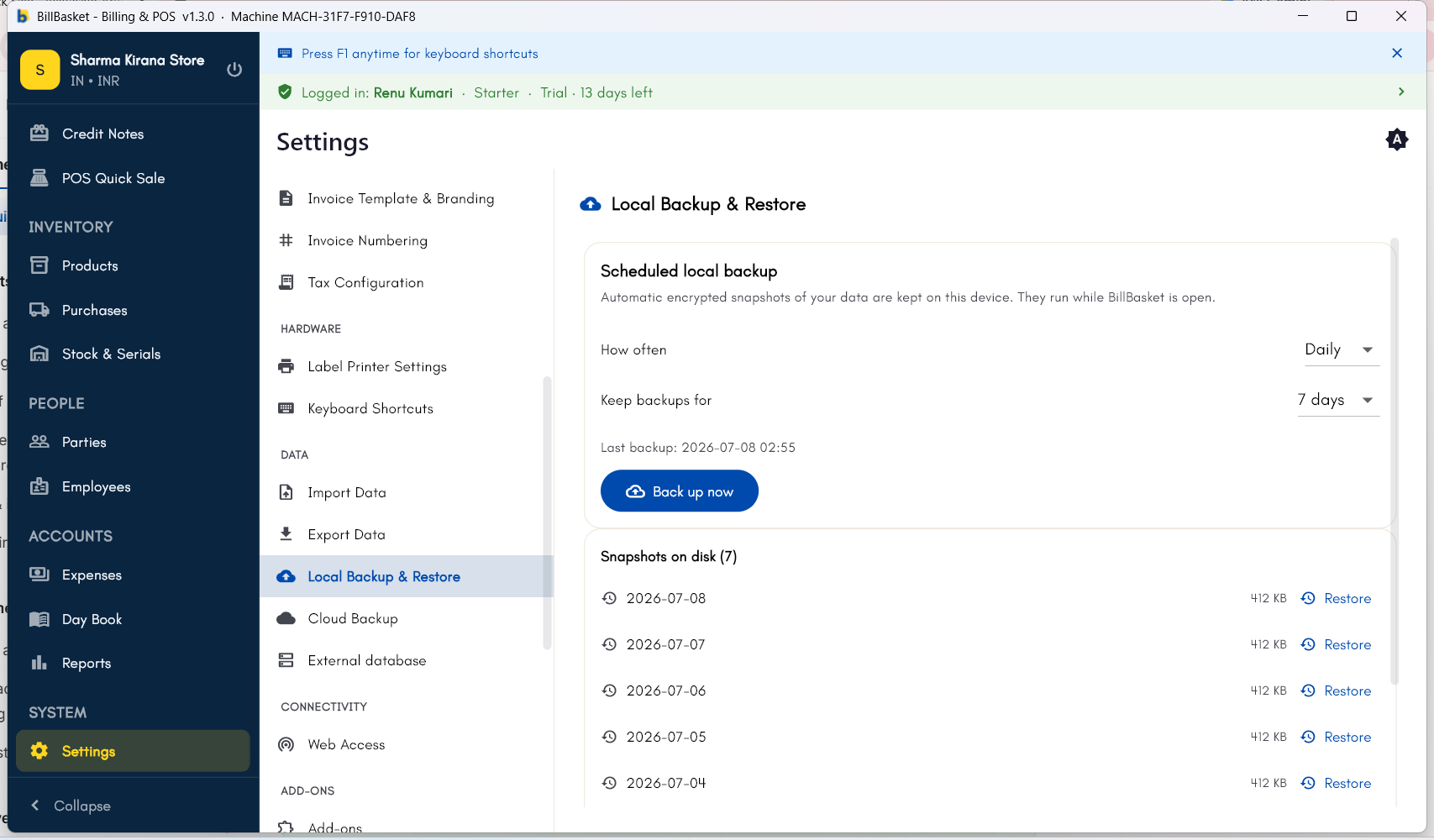
Try it: Sharma Kirana Store
1
Reinstall and sign back in
After his Windows PC is reset for a repair, Rajesh Sharma reinstalls
BillBasket and signs back in to Sharma Kirana Store’s account.
2
Open Restore and pick a backup
He goes to Settings → Backup & Restore → Restore and sees the
list of previous encrypted backups tied to his store.
3
Restore the full snapshot
Rajesh picks last night’s backup and chooses to restore the full
snapshot, bringing back all products, parties like Meena Devi, and
invoice history.
4
Restore just one table if needed
Another time, Rajesh only needs to recover the Customers table after
an accidental bulk edit — he selects just that table from the same
backup instead of restoring everything.