

Understanding the fields
- Name — the only required field. This is what shows up in the employee picker at billing and in reports.
- Phone — optional contact number for the employee.
- Commission % — an optional percentage. If set, the employee earns a share of the sales attributed to them on top of any salary — this same percentage is what feeds the incentive component if you also run payroll for them (see Payroll & salary).
- Target amount — an optional sales target for the employee, used purely for tracking progress in reports; it doesn’t affect commission or payroll calculations.
- Store/location — if you run more than one location, you can tie an employee to a specific one.
- Active — toggling an employee inactive hides them from the billing picker for new sales, without deleting their history — past invoices and reports linked to them are unaffected.
- Preferred invoice series — an optional default numbering series to use when this employee creates an invoice, if your store has more than one series set up.
Salary type and amount for payroll are set from the same employee record,
but only matter if you’ve turned on the Employee HR add-on — see
Payroll & salary.
See it on your device
- Windows PC
- Phone
- Tablet
The Add Employee dialog with a name, phone, and commission %
entered — Store defaults to “All stores” and the Active toggle is on
by default, so the new employee is immediately available in the
billing picker.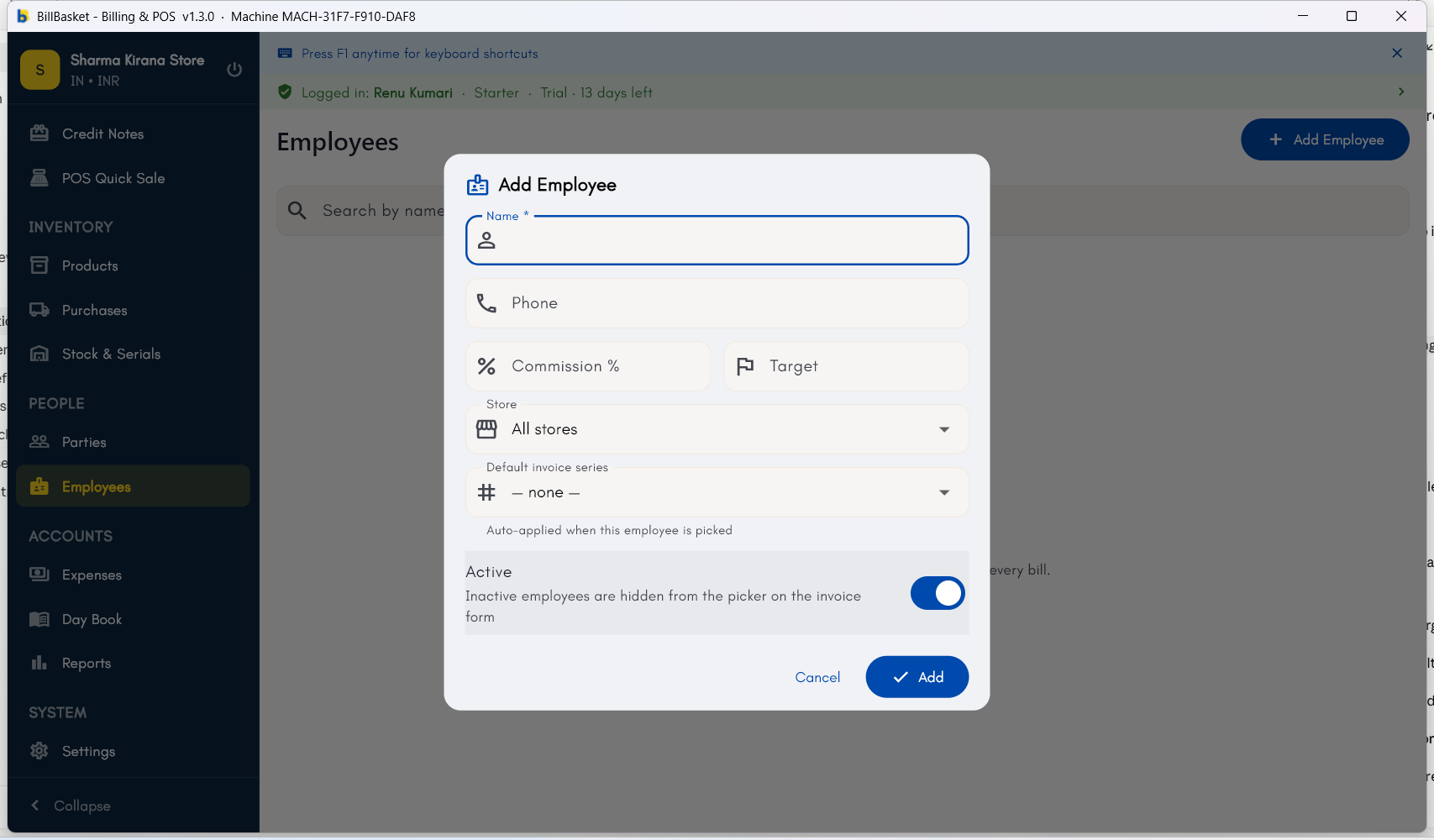
Try it: Sharma Kirana Store
1
Open Employees and start a new one
Rajesh Sharma has just hired Suresh to help with billing at Sharma
Kirana Store during busy hours. He opens Employees → New Employee.
2
Enter the employee's details and save
Rajesh types “Suresh” as the name and adds his phone number as optional
contact detail, then saves.
3
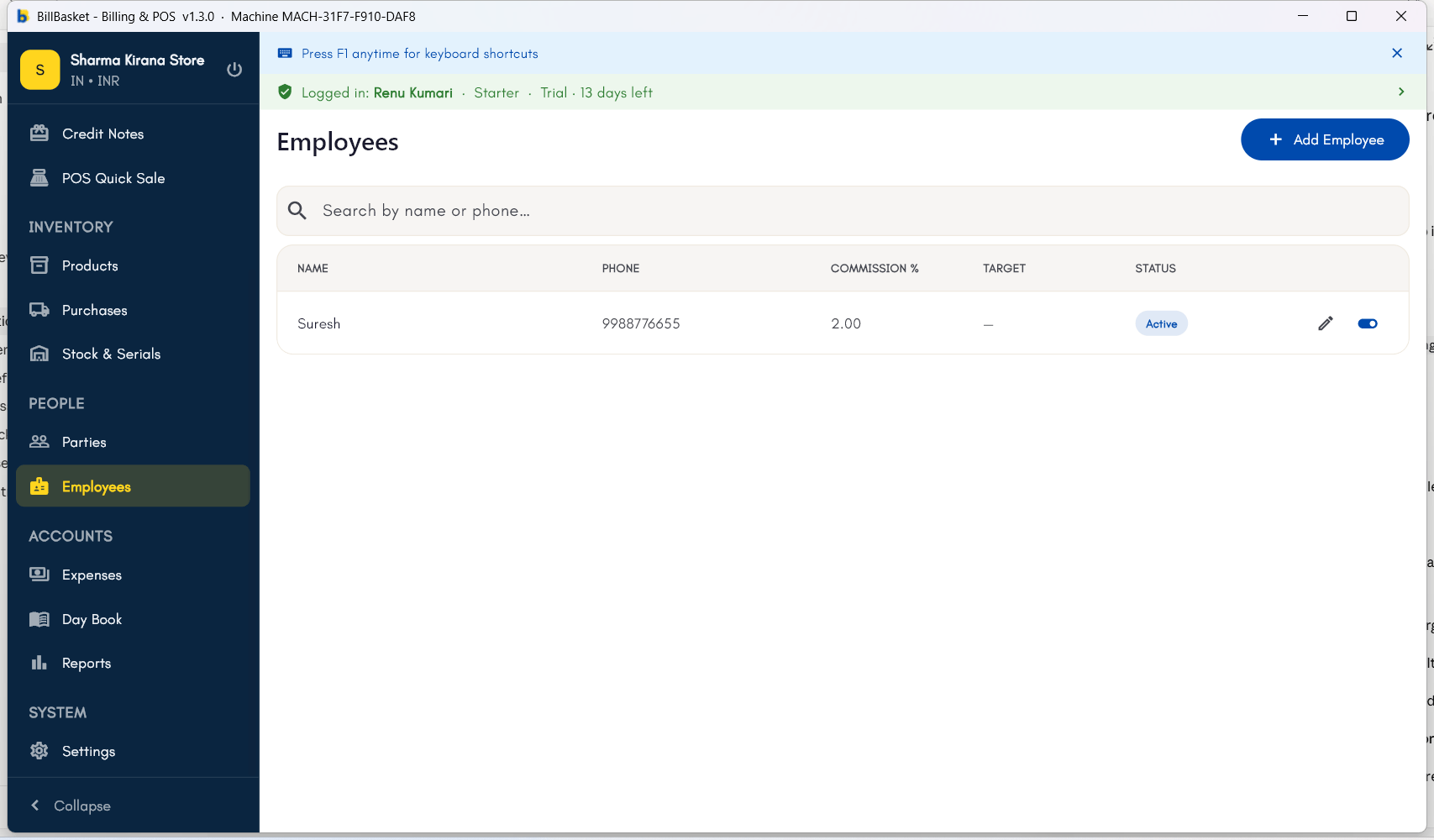
Confirm the employee appears in the list
Suresh now shows up in the Employees list, ready to be selected when
billing so his sales are recorded under his name.