

Understanding the fields
- Admin PIN (6 digits) — a separate secret from the PIN or password you use to sign in to BillBasket itself. It exists purely to gate a handful of sensitive screens, not to log in.
- What it protects — Settings, the Employees list, and the product add/edit/delete menu. Everyday actions like billing, viewing reports, and recording payments are never blocked by it.
- Enable/disable toggle — the Admin PIN is optional. If you haven’t set one, those screens stay open to anyone using the device. Turning it on is what activates the gate.
- Session unlock — entering the PIN once unlocks the protected areas for the rest of that session; you won’t be asked again until the app restarts or you use Lock now to re-lock it manually. This means if you hand the device to a staff member right after unlocking it yourself, they’ll have access too — lock it again before doing so.
- Reset — if you forget the PIN, it can only be reset through your BillBasket account (not from the device itself), since the device only stores a hashed version of it, not the PIN in plain text.
The Admin PIN is a single shared secret for the whole store, not a
per-employee permission system — anyone who knows it can unlock the
protected screens. It works alongside, not instead of, employee-linked
sales tracking.
See it on your device
- Windows PC
- Phone
- Tablet
Settings → Admin PIN right after setting one — the toggle is now
on, and Change Admin PIN, Lock now, and Forgot Admin PIN?
Reset from your account all become available.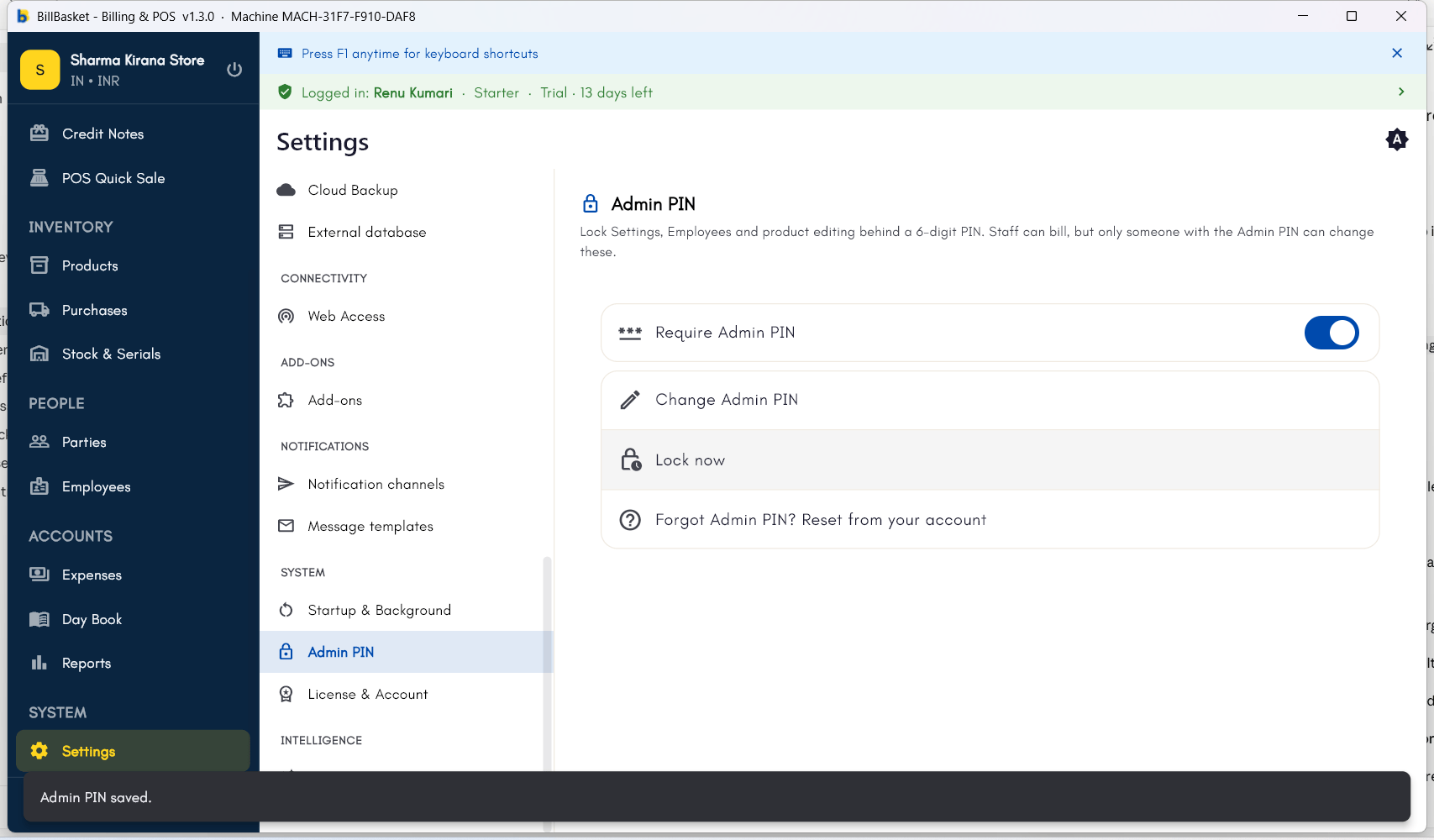
Try it: Sharma Kirana Store
1
A staff member opens a protected screen
While billing at the counter, Suresh accidentally taps into Settings.
BillBasket asks for the 6-digit Admin PIN before letting him in.
2
Without the PIN, they can't proceed
Since Suresh only knows how to bill customers, he doesn’t have the PIN
and backs out — Sharma Kirana Store’s settings stay untouched.
3
The owner enters the PIN to unlock it
Later, Rajesh Sharma enters the Admin PIN to open Settings and edit a
product’s price. It stays unlocked for the rest of his session.
4
It locks again for the next session
The next time someone opens Settings, Employees, or product editing,
BillBasket asks for the PIN again, keeping those areas protected from
day-to-day staff.