

Understanding the fields
- Employee picker (billing screen) — a dropdown of your active employees, shown on the invoice and estimate screens. Selecting a name attaches that employee to the sale.
- Optional, not required — you don’t have to pick anyone; a sale can be saved with no employee attached. Setting it is what makes per-employee reports and commission calculations possible for that sale.
- Invoice series — if the selected employee has a preferred invoice numbering series set on their employee record, the invoice can pick up that series automatically instead of the store’s default.
- Commission % — if the employee has a commission percentage set on their employee record, sales attributed to them count toward that commission in reports and, if the Employee HR add-on is on, in their payroll’s incentive component.
This only tags who made the sale for reporting and commission — it’s a
different thing from the Admin PIN, which gates access to sensitive
screens rather than tracking sales.
See it on your device
- Windows PC
- Phone
- Tablet
The employee picker next to the invoice series dropdown, now showing
Suresh selected instead of “None” — this invoice is attributed to
him for reporting and commission.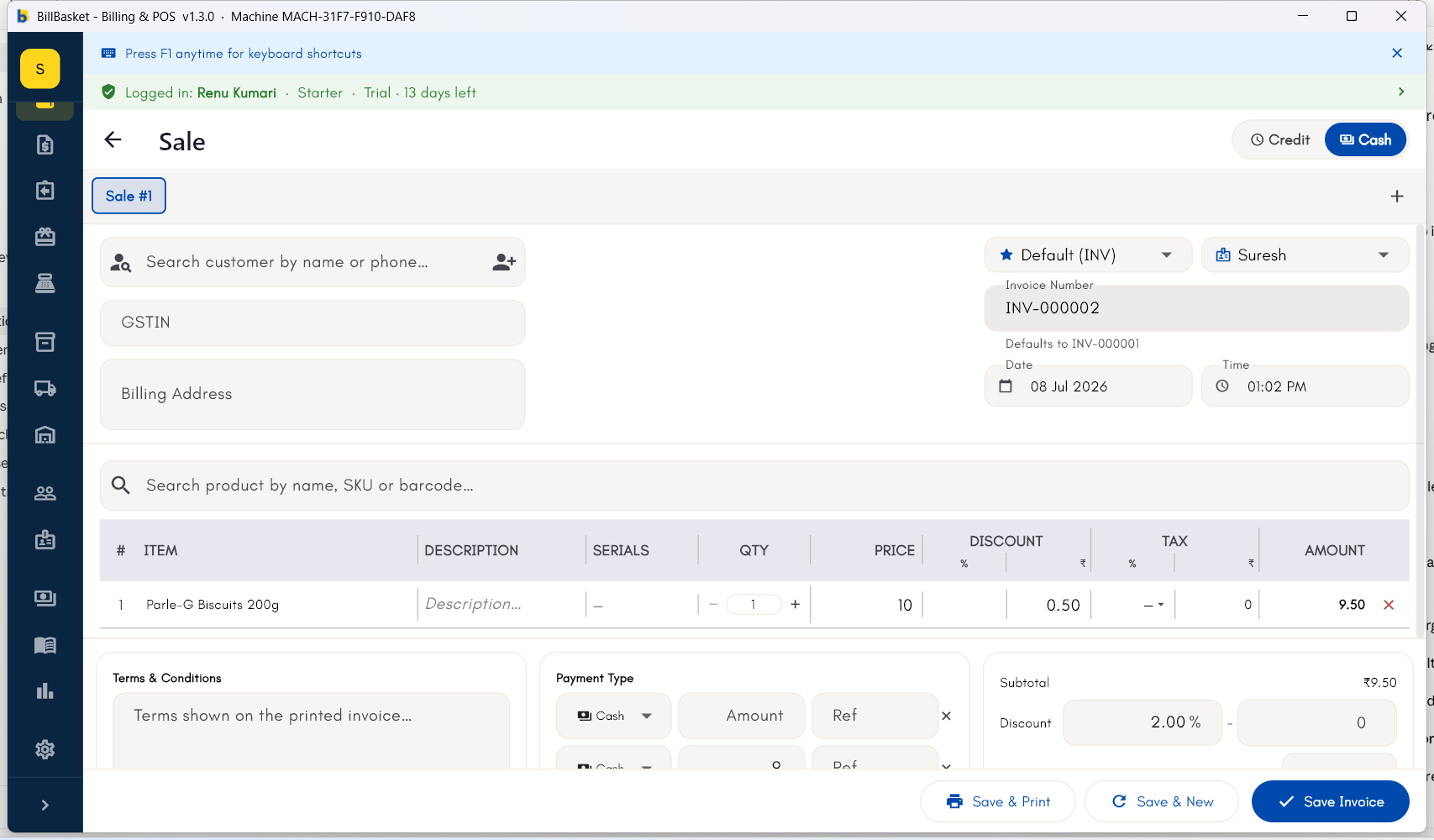
Try it: Sharma Kirana Store
1
Select the employee while billing a sale
Suresh rings up Meena Devi’s purchase of Tata Salt and Amul Milk. On
the billing screen he selects his own name from the employee list
before completing the invoice.
2
The invoice is saved with that employee attached
BillBasket saves the invoice with Suresh attached as the employee who
made the sale.
3
Review performance by employee in reports
At the end of the week, Rajesh Sharma opens Reports and filters by
employee to see how much of the week’s sales Suresh personally handled.