

Understanding the fields
When adding a custom unit in Settings → Units:- Name — the friendly label shown in dropdowns, like “Session” or “Sack.”
- Abbreviation — the short code actually stored on the product and printed on the bill, like “ses” or “bori.” Both the name and the abbreviation must be different from every other unit you already have (built-in or custom) — BillBasket blocks a save that would duplicate either one, so you don’t end up with two units that look or print the same.
- Scope — Product, Service, or Both. This controls where the unit shows up as an option: a Product-scoped unit only appears on the product form, a Service-scoped unit only on the service form, and Both makes it available on either. This keeps unrelated units (like “liter” for groceries) from cluttering a service form, and vice versa. Each unit’s scope also shows as a small “P” / “S” / “P·S” badge in the Units list so you can tell at a glance where it applies.
See it on your device
- Windows PC
- Phone
- Tablet
Settings → Units of measure, showing all built-in units with their
scope badge — P for Product-only (Pieces, Kilograms, Box…), S
for Service-only (Hour, Day, Session…). Add unit creates a custom
one, which would appear under “Your units” below the built-ins.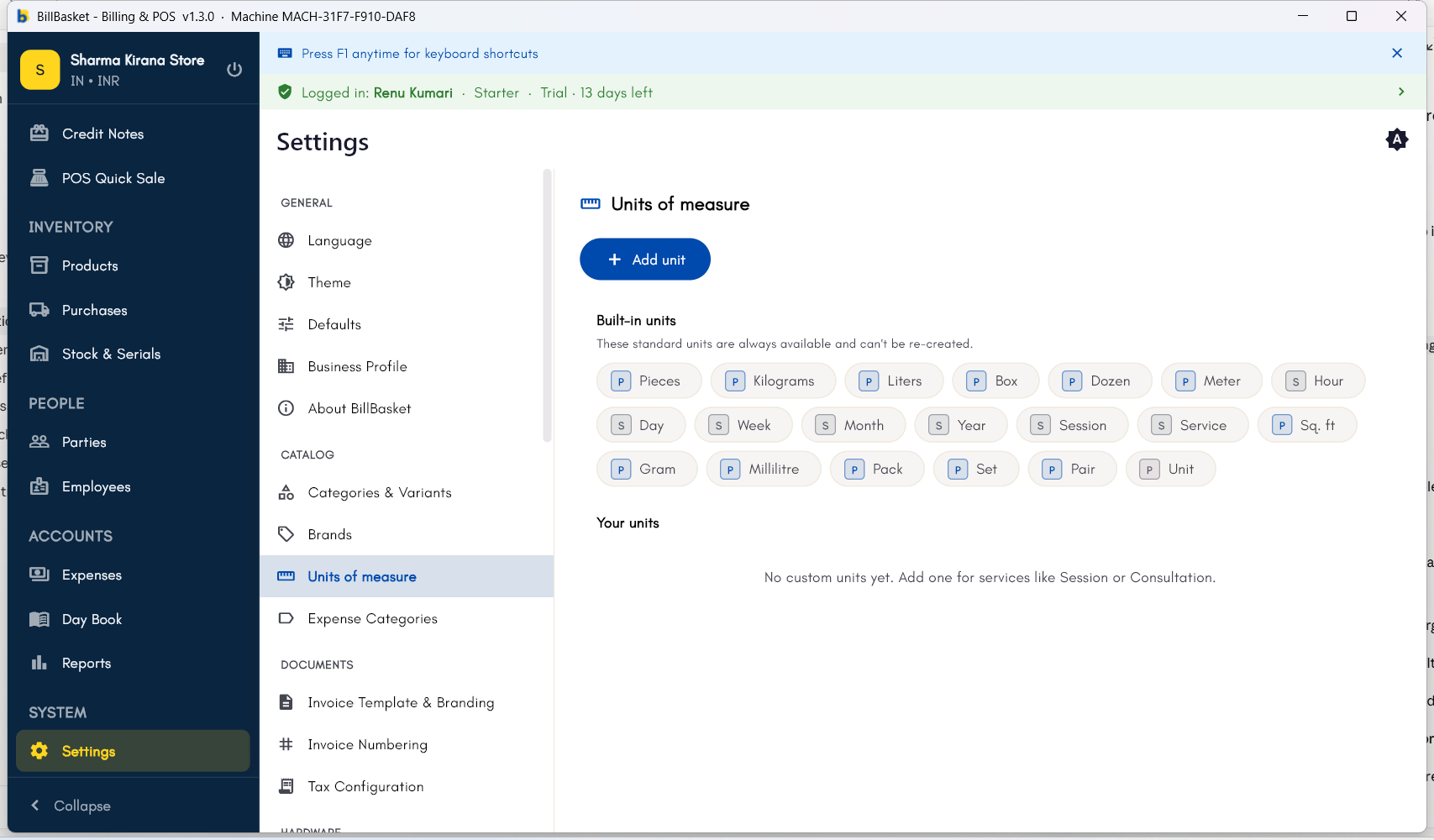
Try it: Sharma Kirana Store
1
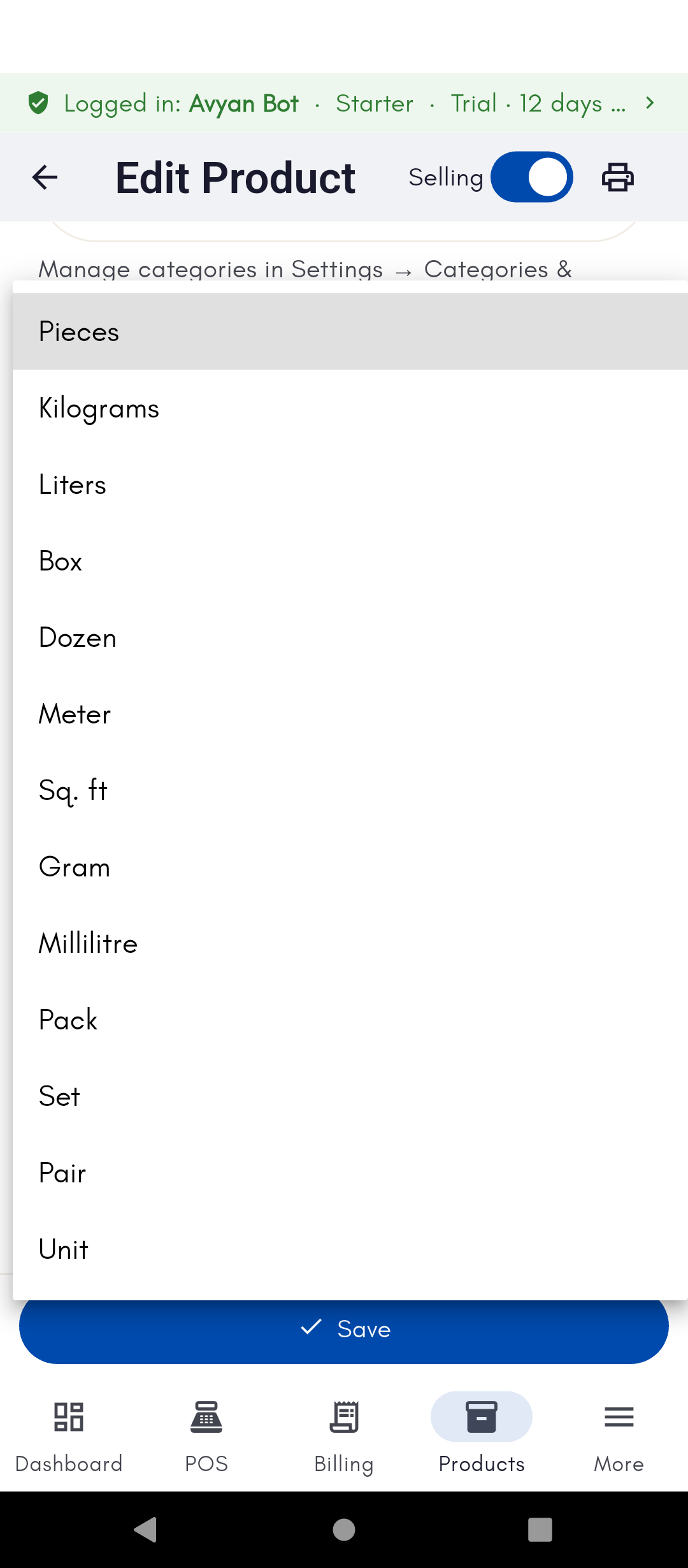
Set UOM while adding a product
While adding Tata Salt 1kg, Rajesh Sharma sets its unit of measure to
“kg” so it’s clear how it’s sold and measured.
2
Use a different unit for a different product
For Parle-G Biscuits, sold by the packet, he sets the UOM to “piece”
instead, since it doesn’t make sense to sell biscuits by weight at
this shop.
3
Switch UOM on an invoice line
A wholesale customer wants to buy Amul Milk in bulk liters rather than
individual 500ml packets. On that invoice line, Rajesh switches the UOM
to “liter” for the calculation to make sense.
4
Add a custom unit
Rajesh also sells loose grains by the “bori” (sack), a local unit not
built in. He goes to Settings → Units, adds “bori” as the name and
abbreviation, and sets its scope to “Product” since it’s only used on
stocked grain items.