

Understanding the fields
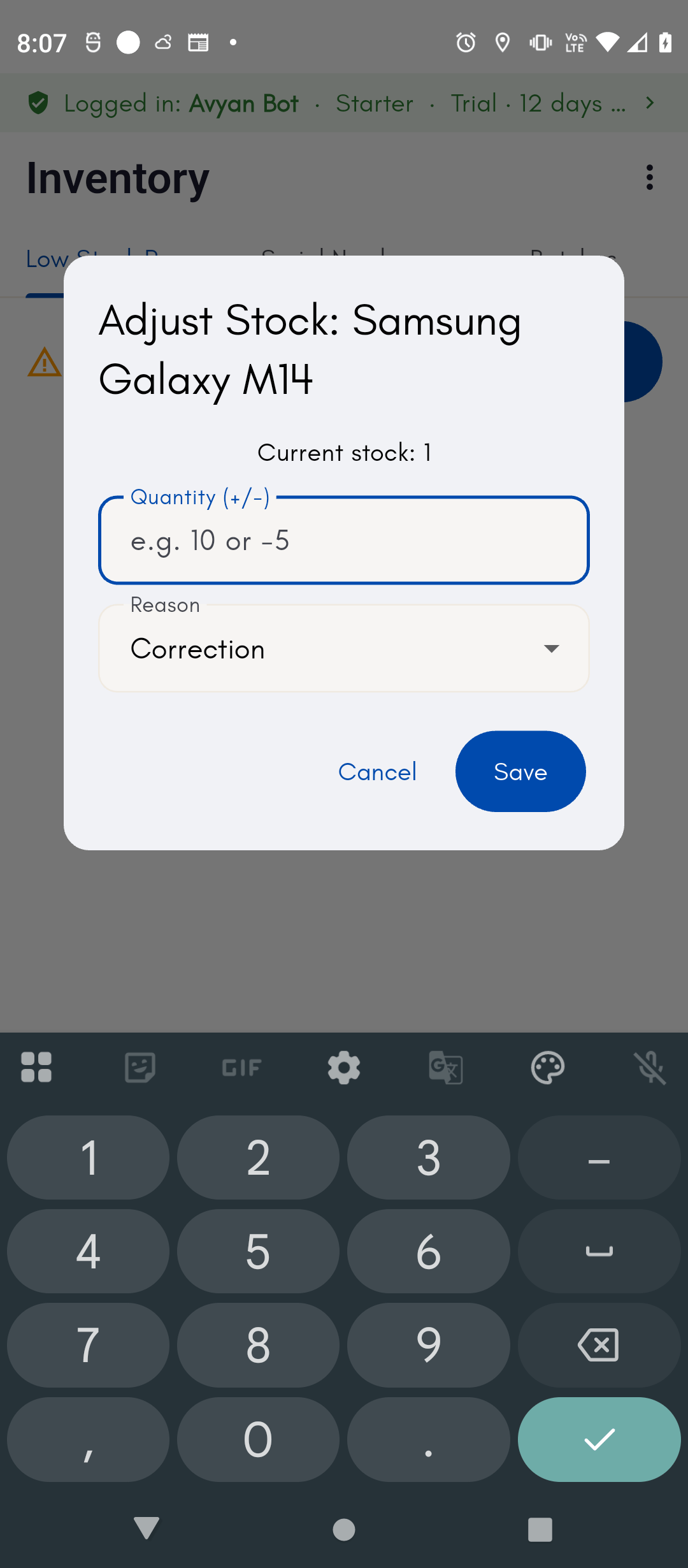
The Inventory screen’s Adjust stock dialog is where you correct a count by hand:- Current stock — shown read-only at the top of the dialog so you can see what BillBasket currently believes the count is before you change it.
- Quantity (+/-) — a signed number: enter a positive number to add stock, a negative number to remove it. This is a change, not a new total — you’re telling BillBasket how much to move the count by, not what the count should become.
- Reason — a dropdown explaining why you’re adjusting: Correction, Damage, Theft, or Opening stock. This is required so every adjustment leaves a clear audit trail of why stock moved outside of a normal sale or purchase, not just that it did.
Batch-tracked products can’t be adjusted from this dialog — their stock
comes from their individual batches/lots, so a blanket manual
adjustment would throw off the batch ledger. For those products,
correct stock by adding or editing a batch instead.
See it on your device
- Windows PC
- Phone
- Tablet
The Products list’s Current Stock column reflects live
inventory — this count went up after a purchase was received and back
down after a sale, with no manual step in between.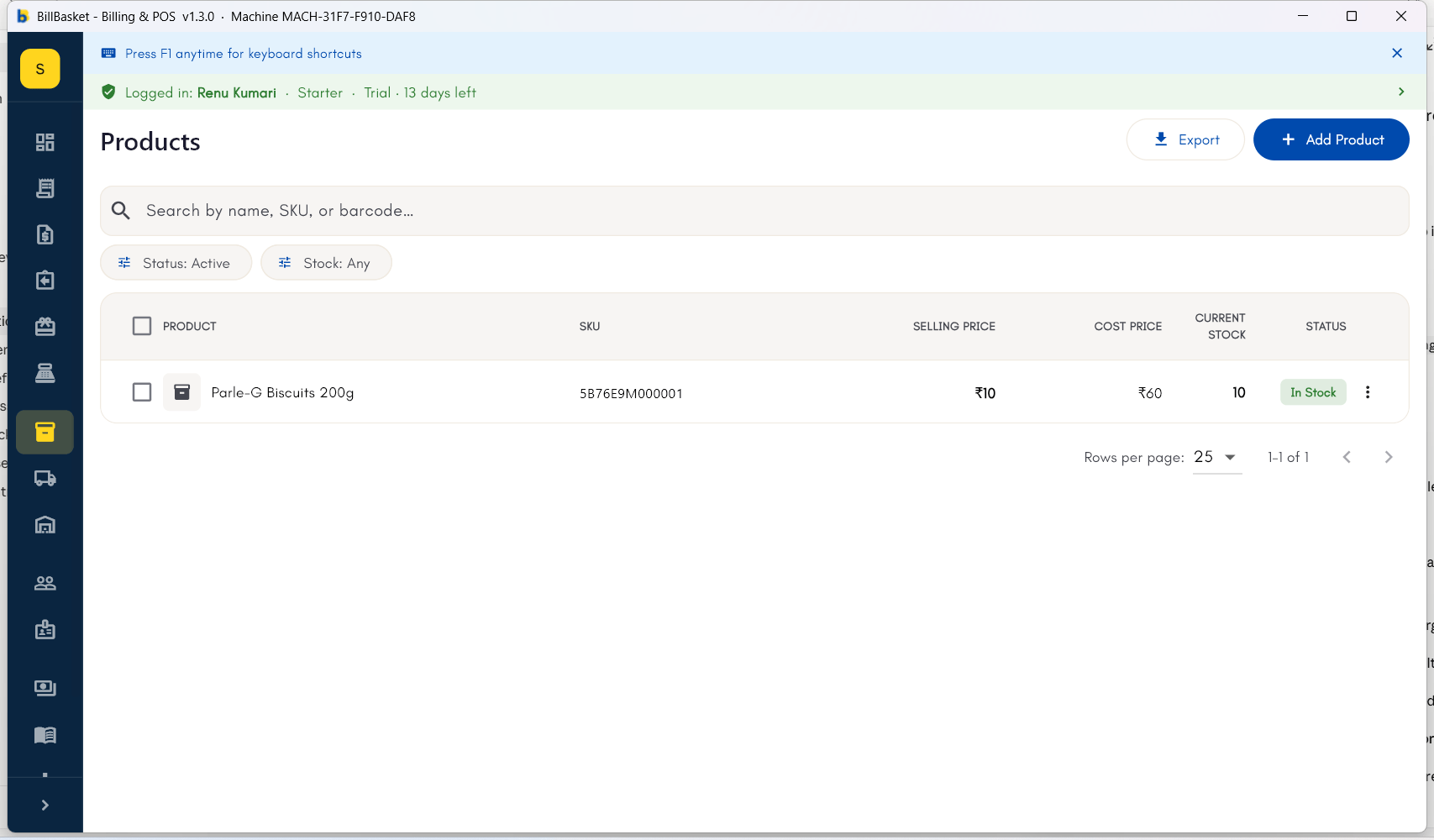
Try it: Sharma Kirana Store
1
Selling reduces stock automatically
When Suresh bills Meena Devi for a packet of Amul Milk 500ml, its
stock count drops by one automatically — no manual update needed.
2
Purchases add stock back
A few days later, Rajesh Sharma records a purchase of Amul Milk from
Bansal Wholesale Traders, and the stock count rises to reflect the new
delivery.
3
A return adjusts stock too
When Meena returns an unopened Tata Salt packet, BillBasket adds it
back to stock as part of processing the return.
4
Check for low-stock warnings
Rajesh opens the Inventory section and sees Parle-G Biscuits flagged
as low stock, prompting him to place a fresh order with Bansal
Wholesale Traders.
5
Make a manual correction when the count is off
During a physical count, Rajesh finds two fewer packets of Tata Salt
than BillBasket shows. He opens Adjust stock for the product,
enters “-2” as the quantity, picks “Correction” as the reason, and
saves — the stock count and the audit trail both reflect the fix.