

Understanding the fields
The service form is a trimmed-down version of the product form — it drops everything related to physical stock and adds nothing sold by weight or count:- Name — what shows on the bill, same as a product.
- SKU — your own code for the service. Leave it blank and BillBasket auto-generates one when you save, just like on the product form. Services skip the Manufacturer and barcode/UPC fields entirely, since a service isn’t manufactured or scanned.
- Category — groups services for reporting, same purpose as on products.
- Unit of measure (UOM) — how the service is billed: “session,” “hour,” “job,” and so on. The dropdown only offers units scoped to services (or to both product and service) — units created for product-only use (like “kg” or “liter”) won’t clutter this list. See Units of measure.
- Selling price and tax rate — set the same way as on a product; you can also mark the price tax-inclusive.
- No stock, no tracking toggles, no supplier fields — the service form has no opening-stock field, no low-stock alert, no Track Serial Numbers or Track batches toggle, and no supplier section, because none of those apply to something that isn’t held in stock.
See it on your device
- Windows PC
- Phone
- Tablet
A saved service in the Services list — name, unit of measure
(Unit), rate, and Active status, in its own list separate from
stocked products.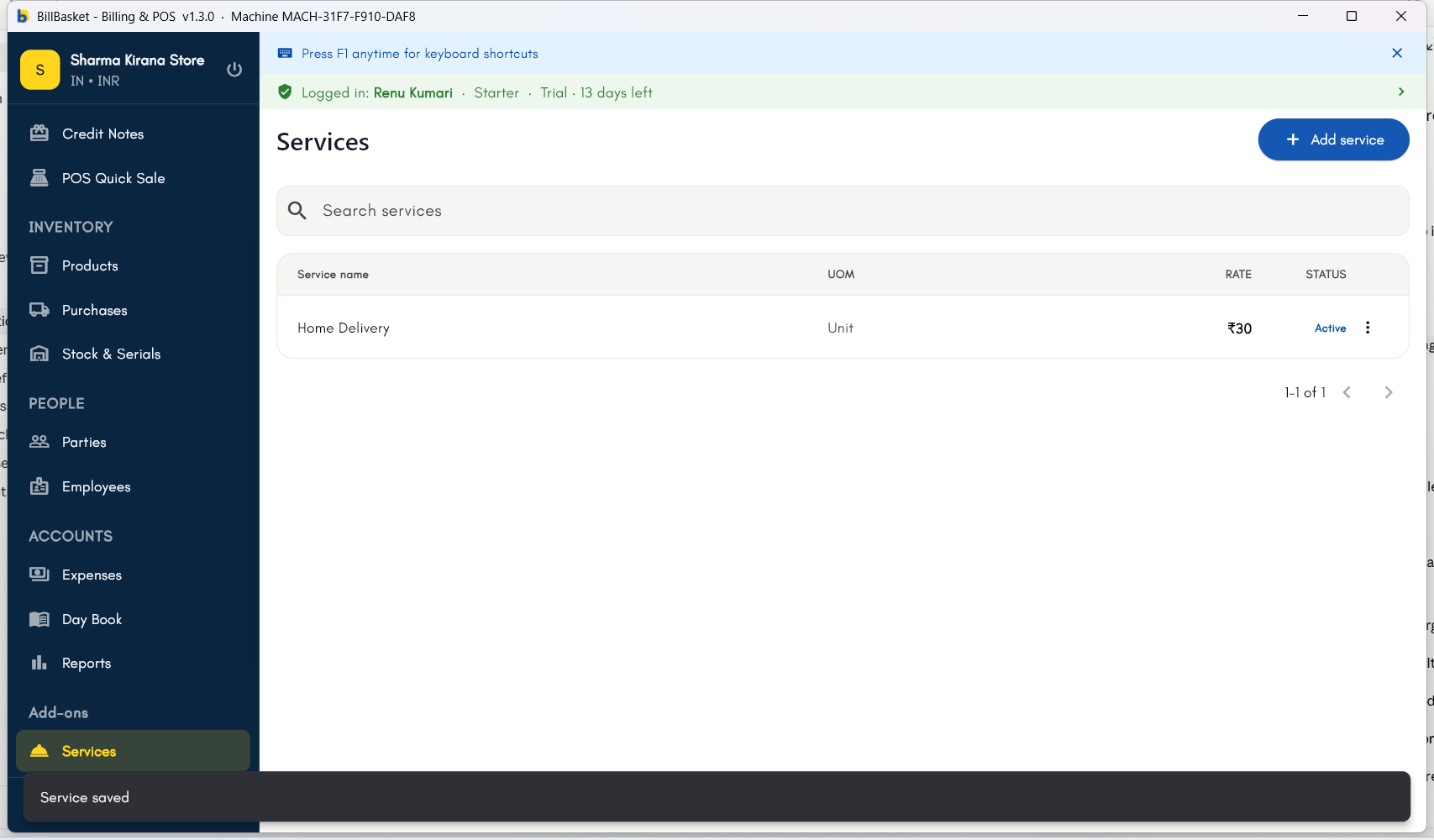
Try it: James Spa
1
Open New Service
James Fernandes runs James Spa, a pure service business — no
products to stock, just treatments to bill. He opens Products → New
Service to add “Swedish Massage.”
2
Enter name, price, and tax rate
He names it “Swedish Massage,” sets the price to ₹1,200, and picks the
applicable tax rate. He repeats this for “Facial Treatment” at ₹800.
3
Set the unit of measure
Since a treatment is charged per session rather than by weight or
count, he sets the unit of measure to “session.”
4
Bill a client
When his therapist Priya finishes a Swedish Massage for a walk-in
client, James bills it directly from the service list — no stock is
deducted, since it’s a service line.