

Employee HR is an optional add-on module — turn it on from Settings →
Add-ons (Admin PIN required) if you don’t see it in your menu.
Understanding the fields
Salary setup (on the employee record)
- Salary type — Monthly fixed, Prorated, Daily-rate, or None. This single field drives how the payroll calculation works for that employee — an employee left on None is skipped by payroll entirely, even if their attendance is being tracked.
- Salary amount — one number that means something different depending on salary type: it’s the fixed monthly amount for Monthly fixed and Prorated, or the per-day rate for Daily-rate.
- Commission % — set on the employee record (see Adding an employee). If set, it becomes the incentive component added on top of the base salary when payroll runs.
- Joining date — payroll ignores any day before this date, so a new hire’s first partial month is calculated only from when they actually started.
Running payroll
- Period — the month you’re running payroll for.
- Payable days — the number of days in the month your store counts as payable, after removing holidays and week-offs — this is what a Monthly fixed salary is measured against.
- Worked days — built from that employee’s attendance for the month: Present and Paid Leave count as full days, Half-day counts as half, Absent counts as none. For Prorated salary, worked days directly scale the payout against payable days; for Daily-rate, worked days are multiplied by the per-day rate; for Monthly fixed, the full salary amount is paid regardless of worked days (attendance still needs to be marked, but doesn’t reduce the payout).
- Base component — the salary amount worked out from salary type, payable days, and worked days.
- Incentive component — the commission-driven amount, based on the employee’s commission % and the sales attributed to them (see Employee-linked sales).
- Bonus and Deductions — optional manual adjustments you can add on top of the calculated amount, for a one-off bonus or a deduction like an advance recovery.
- Net pay — base + incentive + bonus − deductions. This is the final amount shown once you review the draft.
Draft, finalize, export
- Status: draft / finalized — a payroll run is created as a draft so you can review and adjust bonus/deduction amounts before committing. Once finalized, the numbers are locked in as the historical record for that employee and month.
- Export (CSV) — only available once a payroll run is finalized.
See it on your device
- Windows PC
- Phone
- Tablet
The Payroll tab for a month, with an employee’s row showing Set
pay, Bonus, and Deductions fields, and Save draft /
Finalize actions at the bottom.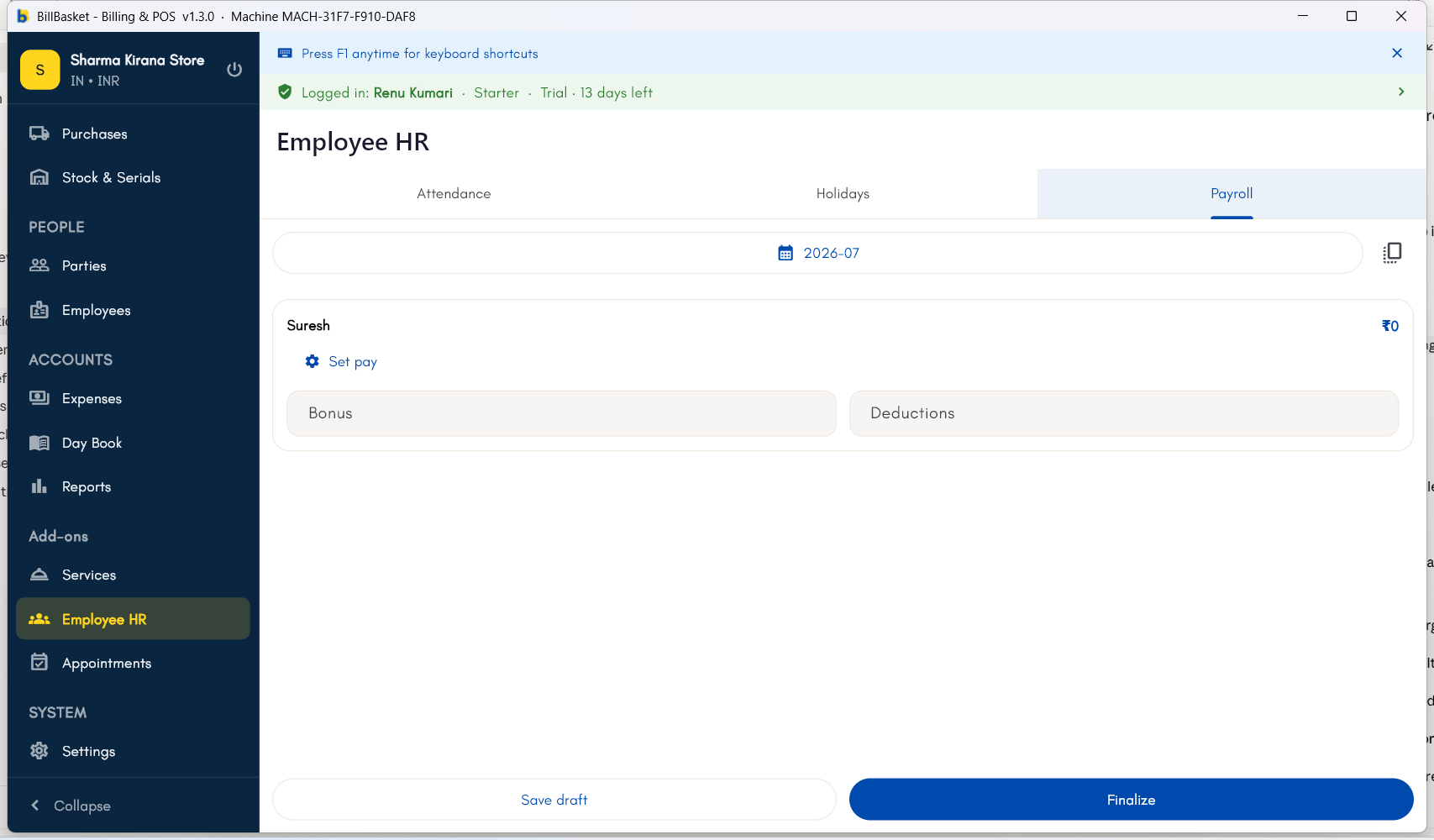
Try it: Sharma Kirana Store
1
Set up the employee's salary
Rajesh Sharma opens Employee HR → Payroll and sets Suresh’s salary
type to Monthly fixed, with a 2% commission on the sales he makes.
2
Run payroll at month-end
At the end of the month, Rajesh runs payroll. BillBasket calculates
Suresh’s net pay using his attendance and any holidays that month.
3
Review the draft and adjust if needed
Rajesh reviews the draft payroll. It’s been a good month, so he adds a
small bonus for Suresh before moving on.
4
Finalize and export
Once he’s happy with the numbers, Rajesh finalizes the payroll and
exports it as a CSV file for his records.