> ## Documentation Index
> Fetch the complete documentation index at: https://docs.billbasket.app/llms.txt
> Use this file to discover all available pages before exploring further.
# Waitlist & cancellations
> Add customers to a waitlist when an appointment slot is full and promote them when one frees up, and set a cancellation window and fee for late cancellations in BillBasket.
Two things every busy booking business needs: somewhere to put customers when
a slot is full, and a policy for late cancellations. BillBasket's
Appointments module handles both — a **waitlist** you can promote from when a
space opens, and a **cancellation policy** with an optional fee.
## Understanding the fields
### Waitlist
When a slot is full, the booking form offers **Join waiting list** instead of
booking. A waitlist entry records the customer, the service, and the desired
time. From the **Waitlist** screen you can then:
* **Book (promote)** — turn a waiting entry into a real appointment when a
space opens. BillBasket re-checks capacity at that moment, so it won't let
you promote into a slot that's since filled again.
* **Remove** — take someone off the list (they found another time, etc.).
The queue is shown oldest-first, so the customer who waited longest is at the
top.
### Cancellation policy
Set once for the business, from the Bookable services screen's policy editor:
* **Cancellation window (hours)** — how far ahead a customer must cancel to
avoid a fee. A cancellation *inside* this window counts as late.
* **Cancellation fee (%)** — the fee for a late cancellation, as a percentage
of the booking's price. The two settings work together: the window decides
*whether* a fee applies, and the percentage decides *how much*.
When you cancel a single booking **inside** the window, BillBasket shows the
computed fee (price × fee %) for you to confirm and records it on the
booking. Cancelling a whole **repeating series** at once skips the fee.
## See it on your device
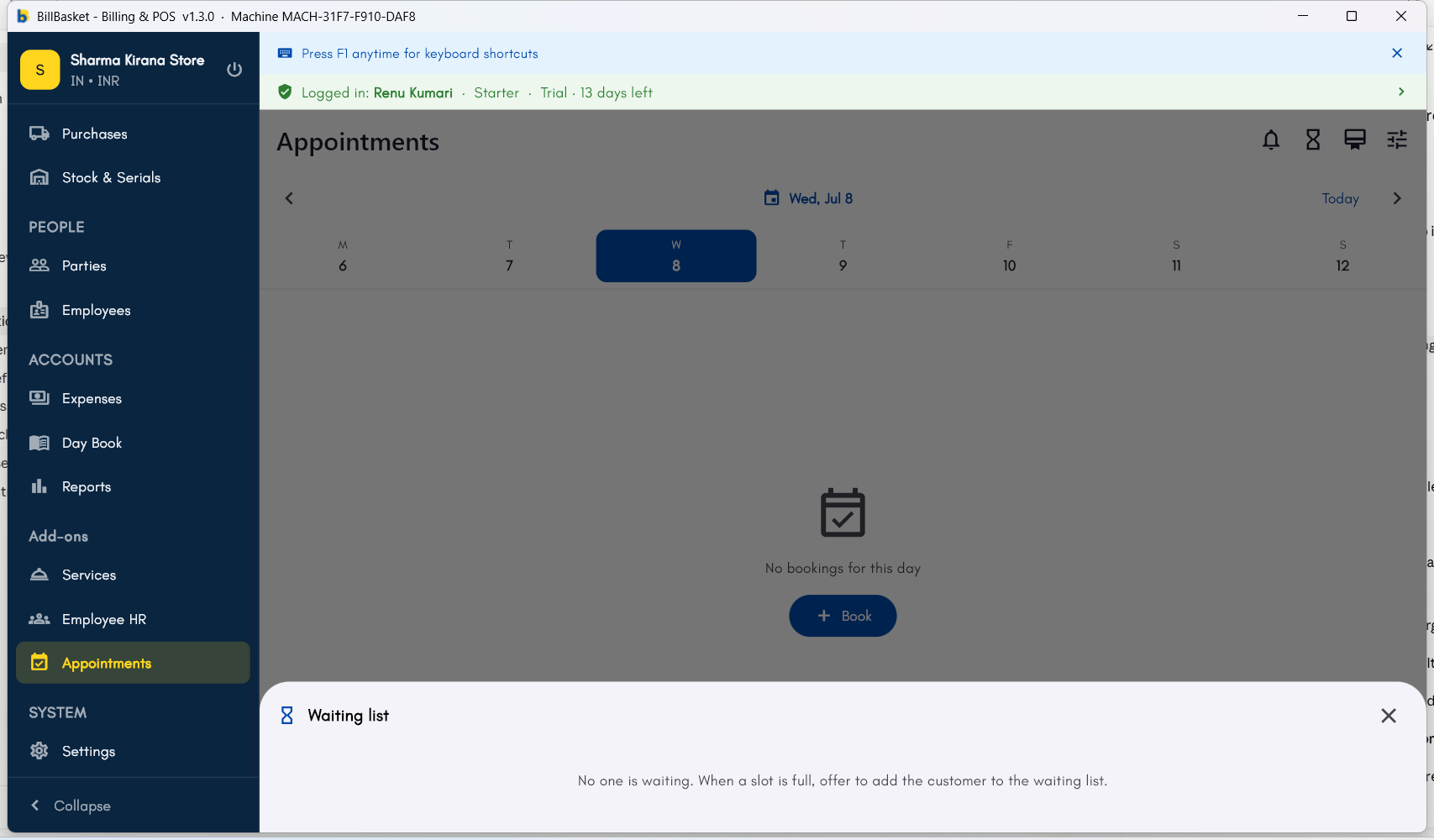
The **Waiting list** panel — empty here, but this is exactly where a
customer lands when a slot is full, ready to be promoted (**Book**) or
removed once you check back.
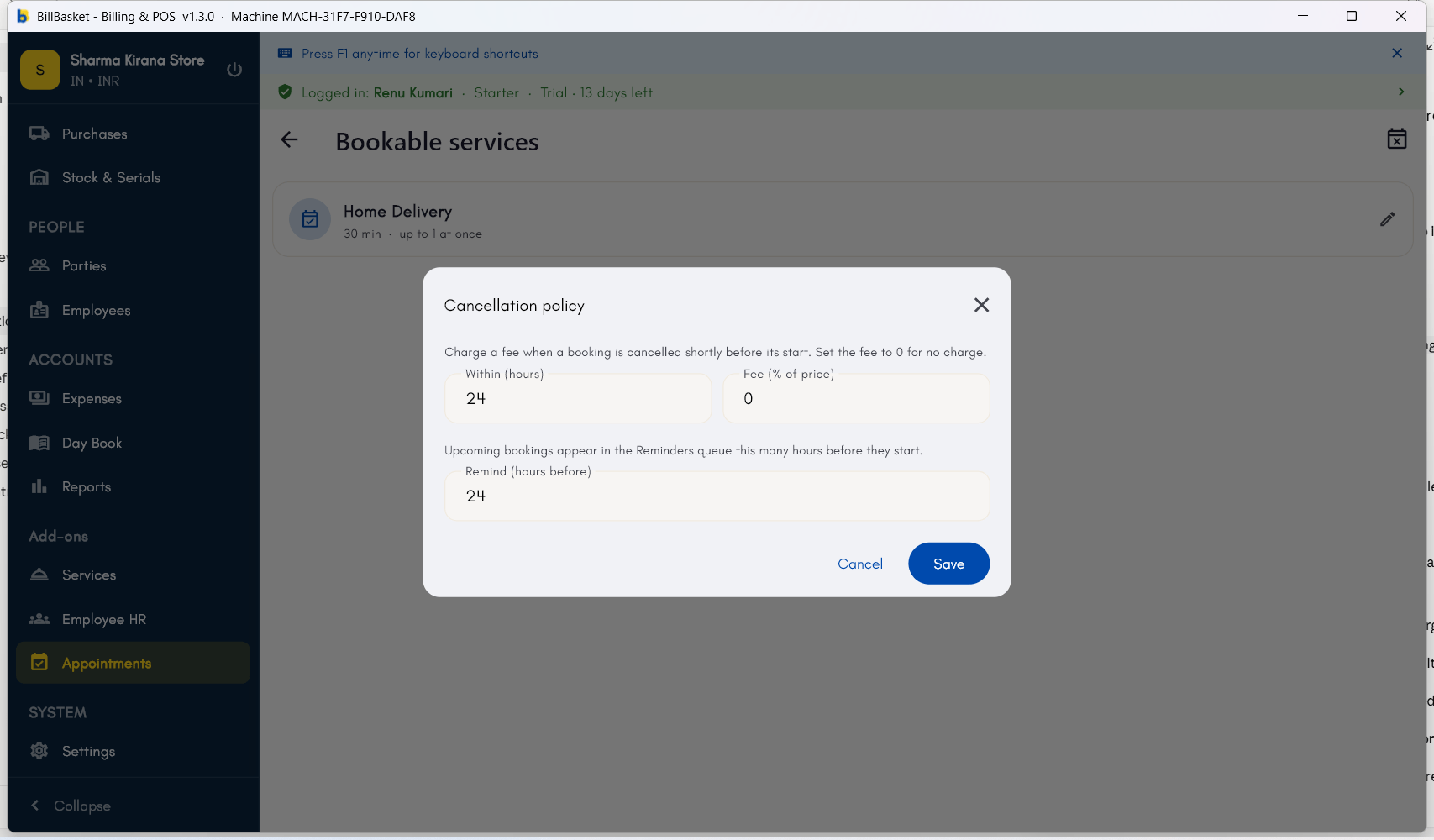
 The **Cancellation policy** editor, set once for the whole business —
the cancellation window in hours, the fee as a percentage of the
booking price, and how far ahead upcoming bookings surface in the
Reminders queue.
The **Cancellation policy** editor, set once for the whole business —
the cancellation window in hours, the fee as a percentage of the
booking price, and how far ahead upcoming bookings surface in the
Reminders queue.
 *Screenshot coming soon — Android phone view.*
*Screenshot coming soon — Android tablet view.*
## Try it: James Spa
A client wants 5:00 PM but both massage rooms are booked. James
Fernandes taps **Join waiting list** on the booking form so the client is
queued for that time.
An earlier client cancels, so James opens the **Waitlist**, taps **Book**
on the waiting client — BillBasket re-checks the room is genuinely free
and turns the entry into a real appointment.
To cut down on last-minute drop-offs, James opens the policy editor and
sets a 24-hour window with a 50% fee.
When a client cancels two hours before their slot — inside the window —
BillBasket shows the 50% fee for James to confirm and records it on the
booking.
*Screenshot coming soon — Android phone view.*
*Screenshot coming soon — Android tablet view.*
## Try it: James Spa
A client wants 5:00 PM but both massage rooms are booked. James
Fernandes taps **Join waiting list** on the booking form so the client is
queued for that time.
An earlier client cancels, so James opens the **Waitlist**, taps **Book**
on the waiting client — BillBasket re-checks the room is genuinely free
and turns the entry into a real appointment.
To cut down on last-minute drop-offs, James opens the policy editor and
sets a 24-hour window with a 50% fee.
When a client cancels two hours before their slot — inside the window —
BillBasket shows the 50% fee for James to confirm and records it on the
booking.